
To change the password of the currently logged in user you can click the icon in the top-right corner and select “Change password”
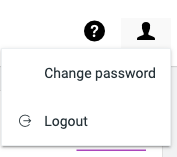
Then you will see the following screen:

| Username | Showing the username of the currently logged in user for which the password is going to be changed. |
| Current password | Enter the current password |
| New password | Enter the new password |
| Confirm new password | Confirm the new password by typing it again |
 FileCap
You must be logged in to post a comment.